 CalcMark
Getting Started
Install CalcMark and run your first calculation.
Installation #
macOS/Linux (Homebrew):
brew install calcmark/tap/calcmark
Download binary:
| Platform | Download |
|---|---|
| macOS (Apple Silicon) | calcmark_darwin_arm64.tar.gz |
| macOS (Intel) | calcmark_darwin_amd64.tar.gz |
| Linux (x64) | calcmark_linux_amd64.tar.gz |
| Linux (arm64) | calcmark_linux_arm64.tar.gz |
| Windows (x64) | calcmark_windows_amd64.zip |
After downloading, extract and move cm to a directory in your PATH. On macOS, you may need to run xattr -d com.apple.quarantine ./cm before first use.
Quick Start #
Interactive Editor #
Open a worked example directly — no files needed. Click to copy the cm remote command to your clipboard. Paste it into your terminal to launch CalcMark with the Household Budget example loaded in the editor. Press Ctrl+H to open the help menu and see all keyboard shortcuts. Press Ctrl+Q to exit.
You’ll see the icon throughout the docs and Examples — it always copies a
cm remotecommand you can paste into your terminal.
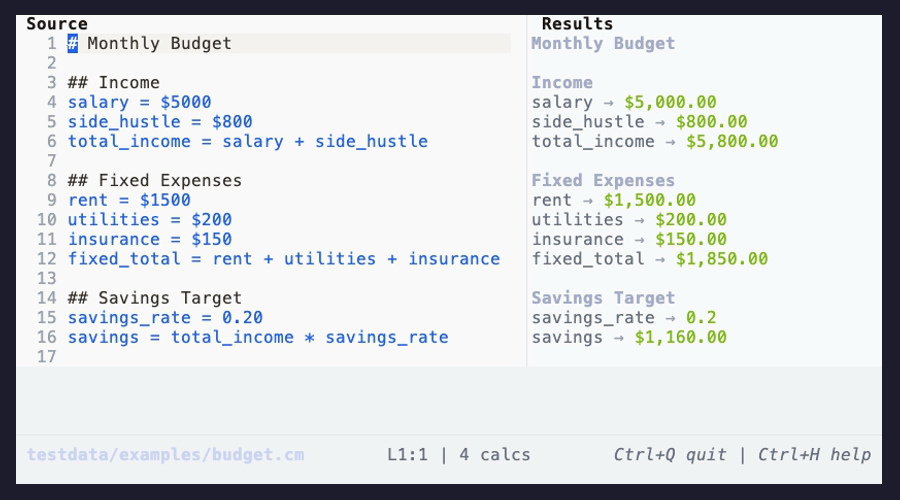
You can also start from scratch or open a local file:
cm                    # New document
cm budget.cm          # Open existing file
Browse more examples in the Examples section.
Evaluate a File #
Process a local file and see results:
cm eval budget.cm
Pipe Expressions #
Quick calculations from the command line:
echo "price = 100 USD" | cm
echo "24 celsius in fahrenheit" | cm
echo "500 gram in oz" | cm
echo "1 + 1" | cm --format json    # JSON output for scripting
Note: When stdin is piped,
cmautomatically evaluates and prints results instead of opening the editor. Use--format jsonfor structured output.
The Editor #
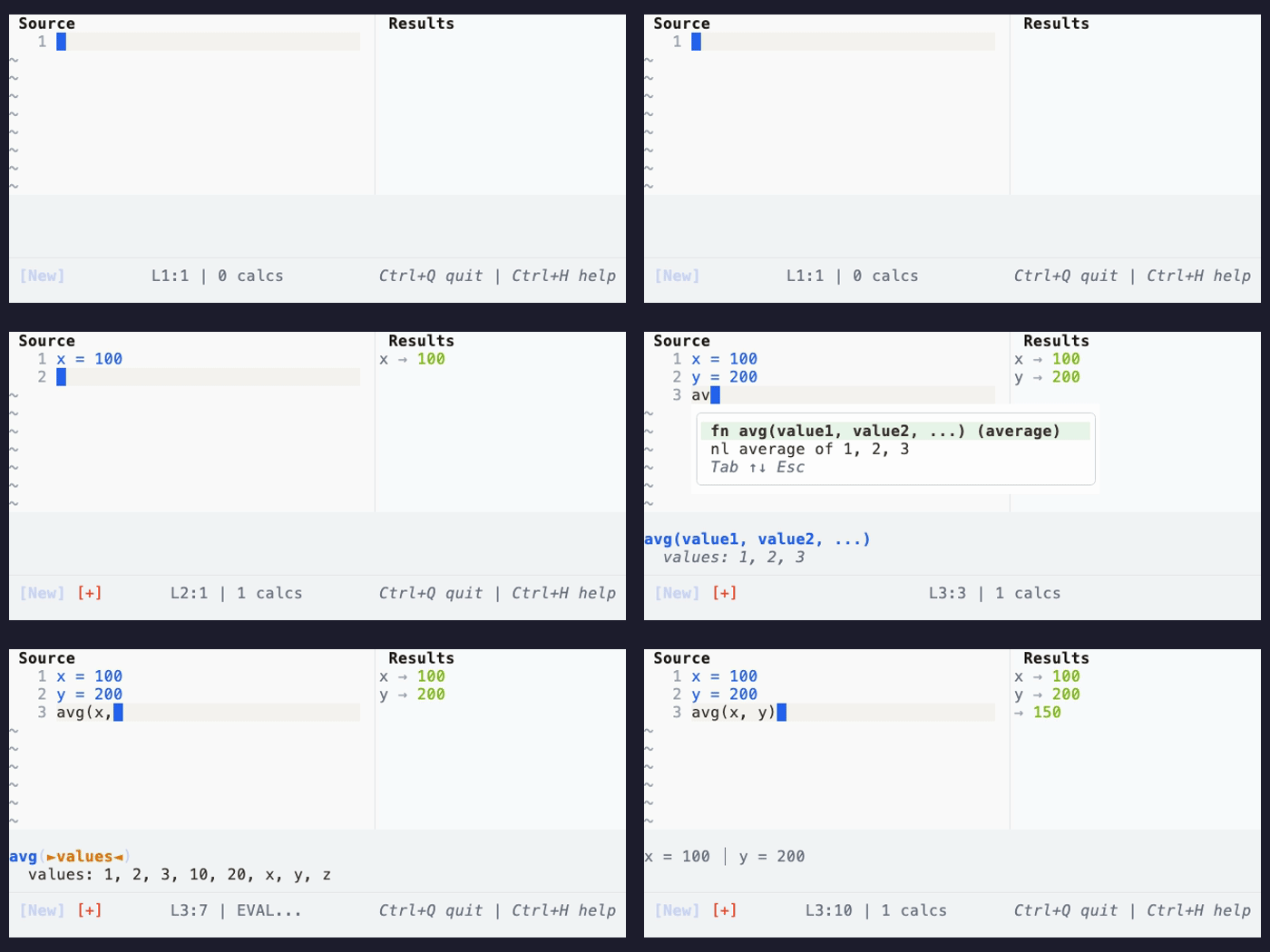
The editor includes autosuggest that helps you discover functions and units as you type. Type at least 2 characters and suggestions appear automatically:
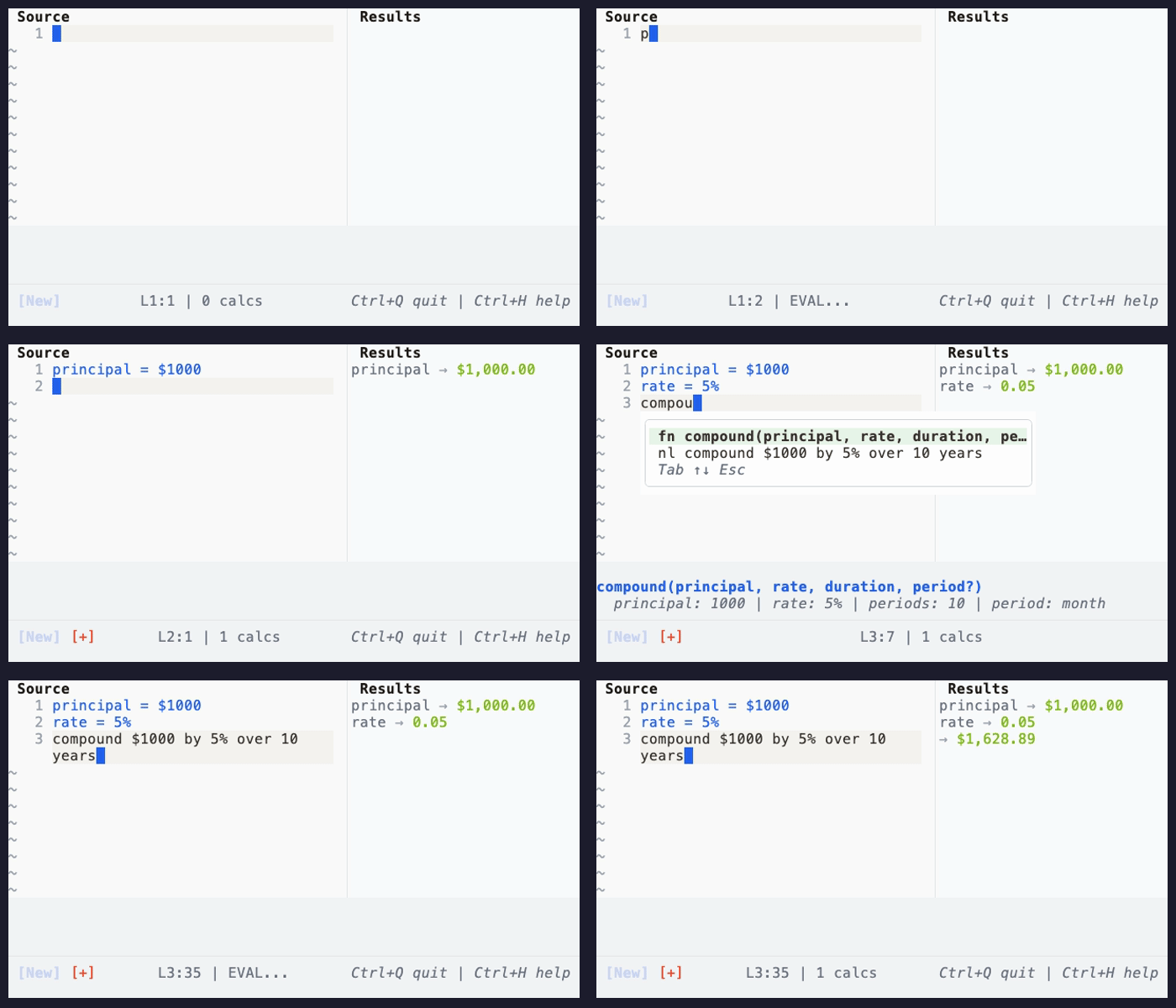
Every function has both a traditional fn(args) form and a natural language form. The autocomplete shows both – select the function name for compound(...) syntax, or the NL row for compound $1000 by 5% over 10 years:
Core Concepts #
Variables Flow Downward #
Variables must be defined before use. Later lines can reference earlier ones:
base_salary = $85000
bonus_pct = 15%
bonus = base_salary * bonus_pct
total_comp = base_salary + bonus| base_salary = $85000 | → | $85K |
| bonus_pct = 15% | → | 15% |
| bonus = base_salary * bonus_pct | → | $12.75K |
| total_comp = base_salary + bonus | → | $97.75K |
Units Are First-Class #
CalcMark understands physical units and currencies:
marathon_pace = 12.06 km/hour
race_time = 3 hours + 30 minutes
distance_covered = marathon_pace over race_time

price_usd = 100 USD
price_eur = 85 EUR| marathon_pace = 12.06 km/hour | → | 12.06 km/h |
| race_time = 3 hours + 30 minutes | → | 3.5 hour |
| distance_covered = marathon_pace over race_time | → | 42.2 km |
| price_usd = 100 USD | → | $100.00 |
| price_eur = 85 EUR | → | €85.00 |
Markdown is Ignored #
Write prose freely. Only lines that parse as calculations are evaluated:
# Project Budget

We need to account for both development and infrastructure costs.

dev_team = 5
monthly_salary = $12000
dev_cost = dev_team * monthly_salary * 6

Infrastructure will be roughly 20% of dev costs.

infra_pct = 20%
infra_cost = dev_cost * infra_pct| dev_team = 5 | → | 5 |
| monthly_salary = $12000 | → | $12K |
| dev_cost = dev_team * monthly_salary * 6 | → | $360K |
| infra_pct = 20% | → | 20% |
| infra_cost = dev_cost * infra_pct | → | $72K |
Optional: GitHub Gist Integration #
To share and open CalcMark documents via GitHub Gist, install the GitHub CLI:
brew install gh
gh auth login
See Sharing with GitHub Gist in the User Guide for details.
Next Steps #
- Read the full User Guide for all features
- Learn about The Editor — preview modes, shortcuts, autocomplete
- Explore the Examples to see CalcMark in action
- Check the Language Reference for the formal specification
- Use CalcMark from code or AI agents — see Agent & API Integration
- Embed CalcMark in your Go application — see Go Package